01
Press and Set Your Time

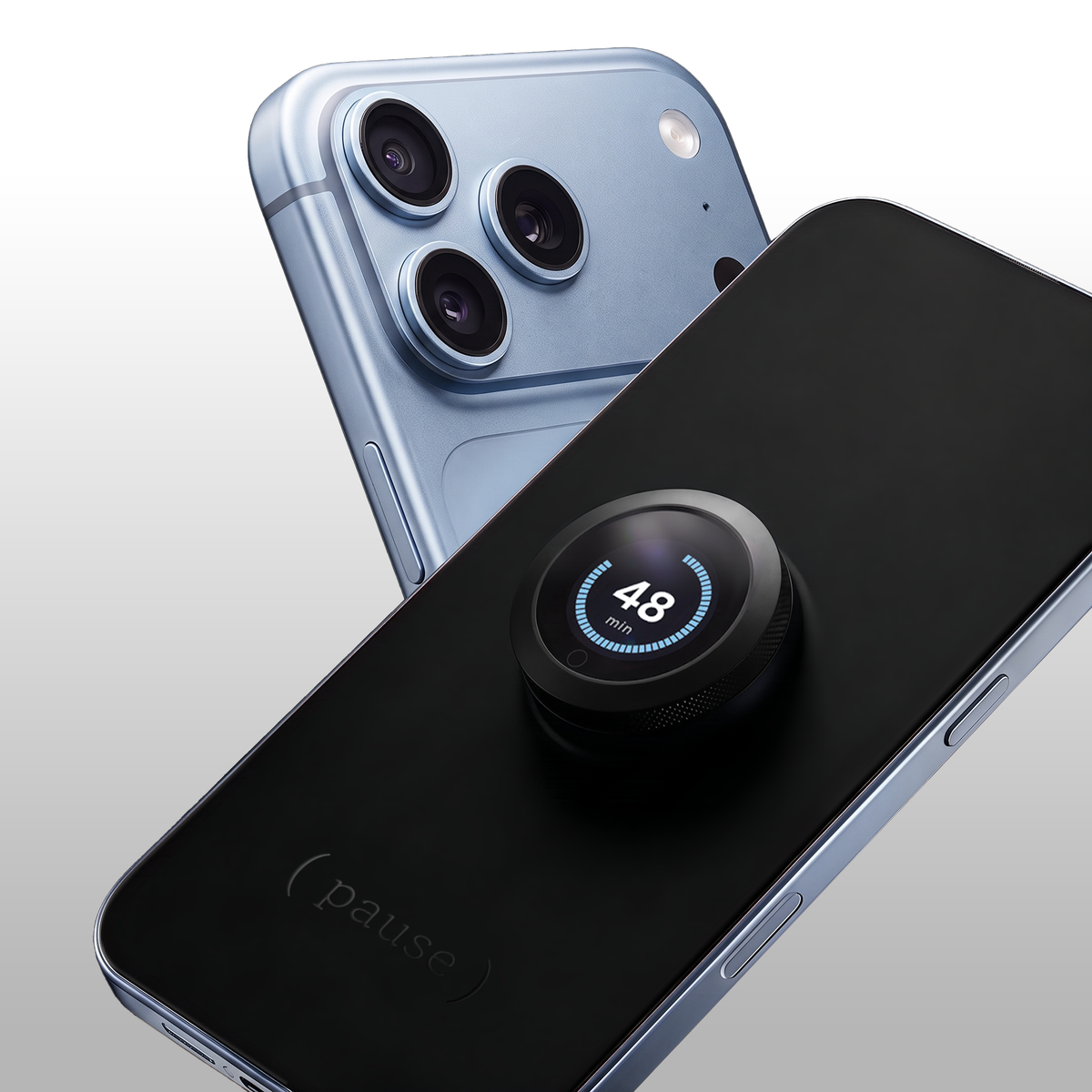
Press Pause onto your screen and twist the dial from 1-60 minutes.

The app-free way to stop scrolling while keeping calls, texts, and Siri available.
The app-free way to stop scrolling
while keeping calls, texts,
and Siri available.
Pause puts you back in control over automatic pickups. No overrides or workarounds, just uninterrupted time until you’re ready to reconnect.
Get Pause
Press Pause onto your screen and twist the dial from 1-60 minutes.

The blurred cover stays sealed to your screen, allowing texts and calls while blocking distractions.

When the timer ends, Pause vibrates and releases. Lift off the cover to use your screen again.
The Story Behind Pause
I tried Screen Time limits. Downloaded every app. Bought a Brick. Each new solution made me feel the same initial relief: “Finally! This will fix it.”
But whenever I wanted to get back on my phone to scroll: I’d ignore the limit, delete the app, or override the tap block. And I’d be right back where I started.
It was a f**king headache.
I was using apps and fighting software with more software. That made no sense, right? I knew I had to build something physical.
But I also knew I didn’t want to get rid of my phone completely. I like having my phone on me. I just wanted a way to say: “for the next 30 minutes, I don’t want this thing distracting me.”
I still wanted to be reachable. I wanted calls and texts. I wanted Siri, music, and the useful parts of my phone. I just didn’t want to pick it up for one thing and look up 20 minutes later.
I thought, what if you could put something on your phone to choose how long you wanted to be away from your screen… and then stop thinking about it? Not forever. Just for the parts of your day when you’d rather be doing something else.
After 18 months, $200,000 in development, multiple overseas trips and endless prototypes – we made Pause: the world’s first physical screen timer.
There’s no apps, no subscriptions, no workarounds.
There’s nothing else like it in the world, and we’re so proud of it.
It’s helped me more with my screen time than anything else. I’m so excited for you to try it.


Every other option lives inside the problem: your phone.
Pause is the first screen-time solution that lives outside your screen, creating a physical boundary between you and your phone.


Make time for the things your phone interrupts
Drag to explore


🎉 Launch Sale: Savings auto-applied.
Ships today, if ordered within
 How Pause Works
No app or subscription required.
 Calls, Texts & Essential Access
Pause blurs your apps and dims your screen to prevent scrolling. The cover is thin enough to let you answer calls by touch.
While Pause is attached, you can:
 Product Details
Fit
Choose the Pause version made for your iPhone model for a precise fit over your screen.
Charging
Recharge with the included magnetic charging cable.
Included with your purchase
“I used to judge people who needed a gadget to stay off their phone. I'm a software engineer and I know exactly how these apps hook you, so I figured I was above it. But as my family and friends pointed out I wasn't and this has been the only thing that actually worked.”
“Every focus app I ever tried made me feel like I was failing at something. I'd hide them, restart them, quietly give up. Pause is the first thing that not only works but that I proudly leave out in the open. I actually look forward to using it everyday.”
“My partner and I now pause at dinner every night together. This went from not even sure if we were going to use it into the best purchase of the year for our relationship!”
“I set it for 45 minutes and actually finished a deep-work block without reaching for my phone once.”
“The twist-and-lock is weirdly satisfying. It turned ‘stop scrolling’ into a habit I look forward to.”
“Calls still come through, so I never felt cut off. Zero anxiety about missing something important.”
“Three weeks in and I’m falling asleep faster. My mornings feel like mine again.”
“My nightly scroll went from 90 minutes to under 15. First thing that’s ever stuck.”
Choose your iPhone model and get started with Pause.